

Documents: The very first thing I did, was to start a new document with the new version of the game in mind. I wrote down, what I would change and add, what I should get rid of compared to the jam version. The result is basically a metroidvania, with newly added move abilities to the newly added casters. I developed a backstory around them, and a world they can fit in. I wrote down new mechanics, that help to progress and deal with enemies, new damage types and the new damage affinities with them. I wrote down a bunch of ideas to the world, some that will need special tinkering to make it work, but will add something cool to experience for the player.
Assets for GameMaker: Then, I looked at the asset library I already have: some assets I bought over the years and the bunch of stuff I built for different game jams, or as something that I could use in one in the future. This resulted in decommissioning almost third of these, as there are newer versions of them, or was never used because they were bad ideas, or just simply they become obsolete.
Then I took the rest and checked if they could be useful for this project and if so, is there any way to optimize or update them. This resulted in the weeks long process, one by one checking, re-writing old code. This even affected fairly new additions, like the new camera system (version 4, and this is a subpixel camera, based on Pixelated Pope’s tutorial), as I have to exclude using the GUI event for HUD because the CRT shader would not affect the GUI event by default. I also updated the crawling text, the flying text, a special sin-cos algorithm, etc.
There were some that needed full rebuilding, or other stuff that I may need for this project, so I took the time to make it. I re-checked the CRT shader and separated the CRT scanline and warp effect. I made some shaders that could be useful (glow, heat haze, monochrome shaders, as GM’s built in layer effects seem much more costly than they should be) and some that probably not, but still was interesting to make (like the dithering shader). All this following tutorials and changing it where I needed something extra, or removing something that was unnecessary for me. Some of the more complex and interesting things:
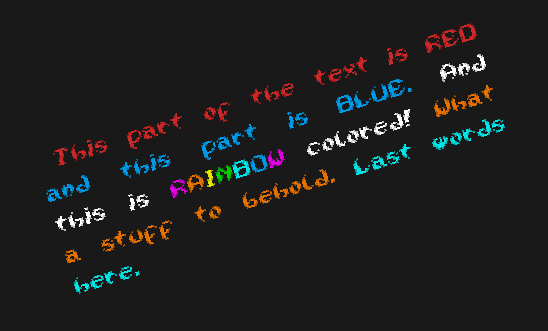
Light Text Writer: I had a typewriter before that I made and used many times. It was very simple and clunky and wanted a new one for ages. I also had a justify text asset that I bought and used in one project, but it was a bit cumbersome to set up. I also looked at Scribble, but I found that it’s a bit bloated for the things I need a text writer. So I decided, I will make a new one and in about 4-5 days I managed to make it work. This writer parses the entered string once, and depending if it’s a chunk of text, or a typewriter, returns a surface, or a parsed text per character in an array. The parser first separates to words and codes (codes being [color] [pause], and the [wrap] added by the parser) and also stores every width – with the spaces having extra width as the justify is handled here. For colors, there is a library (ds_map) set up, so I don’t have to write hex codes, just the color keys. Finally, it’s even drawn to a surface (chunk of text), or re-parsed to characters (typewriter). In the draw event, I can draw the chunk of text as a surface, in any rotation or scale. The typewriter will print the text, character by character on a surface, then draws that out, so the surface, again, can be scaled or rotated. In the end, when the text is printed out the surface is finalized, and stays, similar to the chunk of text. This all seems easy, but I restarted 2 times and almost abandoned the thing once, but luckily I had new ideas (that being the surface thing, versus the text actually using draw_text).
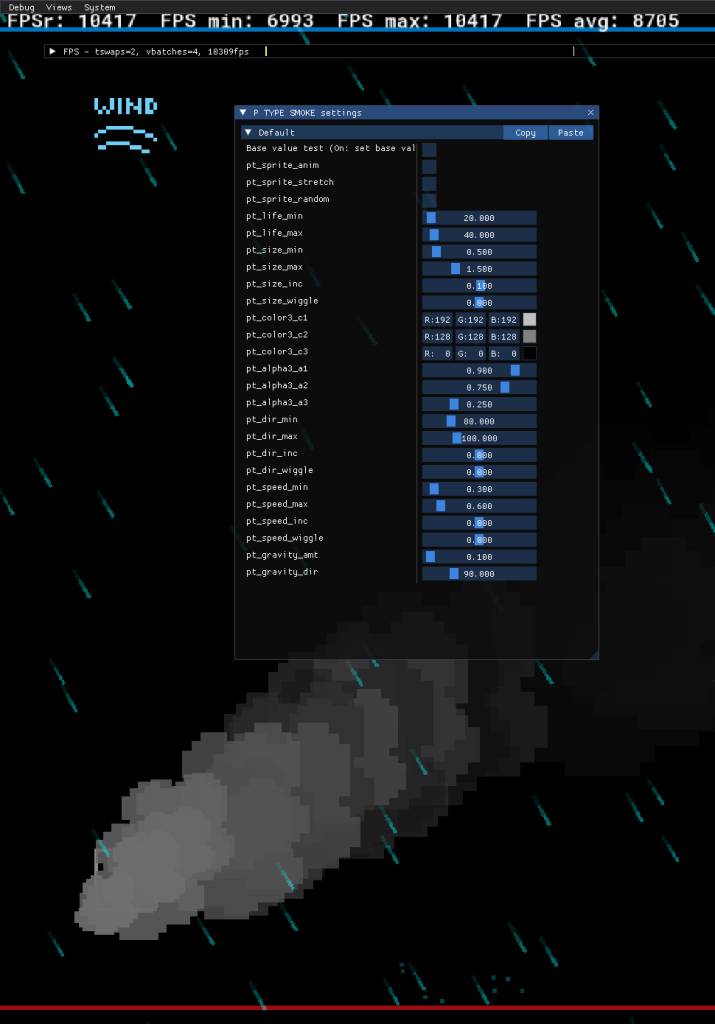
Particle System with “Editor”: I meddled with particles before, in the Stevie T Adventures, but never get around to make a re-useable system. Then I’ve read, that GM implemented a particle editor some time ago, and finally I had time to check it with Necromancer’s Quest (jam version). I found, that it’s ok for static, streamed particles, but the burst particles I had to collect in a list and manually destroy them, otherwise I would’ve faced a memory leak. So, I decided to revisit the old particle system, and using a debug panel, I am able to select particle emitters and set any properties that is relevant to that emitter. I also made a rain effect, which is 2/3 particles, 1/3 objects, so those can interact with colliders – or even characters. The system also consist a wind force, that is able to steer particles. As of now, this project has the BOOMBOX, a persistent object that handles music (fade in, fade out, and does not start over in a new room, if it’s the same music as before), and environmental / overall sound effect (same method as with music).
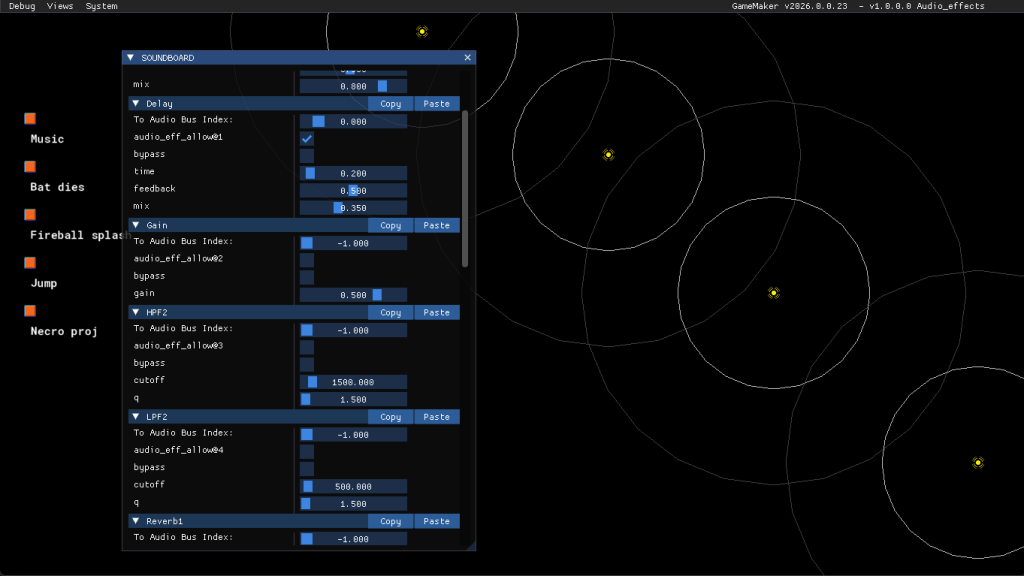
Audio Effects: the creation of this points to a random encounter with a youtube video that popped up in the recommendations. In the video a guy talked about the audio effect options in GM. It seemed straightforward enough, so I started to meddle with it. In the end, I created a debug panel that can set up a local audio bus for its channels, for the effects to use (so music is not affected by the effects), and all relevant parameters can be set. In Firebat – Revolution I already meddled with some spatial sounds (on the map), so now I made a system to handle audio emitters on the local bus and an audio listener. It’s handling stationary or moving objects and, learning from the Nintendo Switch first release of Firebat, I handle that sounds are stopped when out of range, not just have their volume set to 0 (on PC this was not a problem, but on the Switch, I realized that the map music, along with many other sounds, are just not playing, having so many sounds on the map – a hundred at least). Not even the sound priority saved the day, I mean I set the music to high prio, and any other sounds as mid or low. In the end, it seems to work nicely. I may add the BOOMBOX from the particles project to here, just to have sound / music stuff in one test project, but these are basically ready to be used.
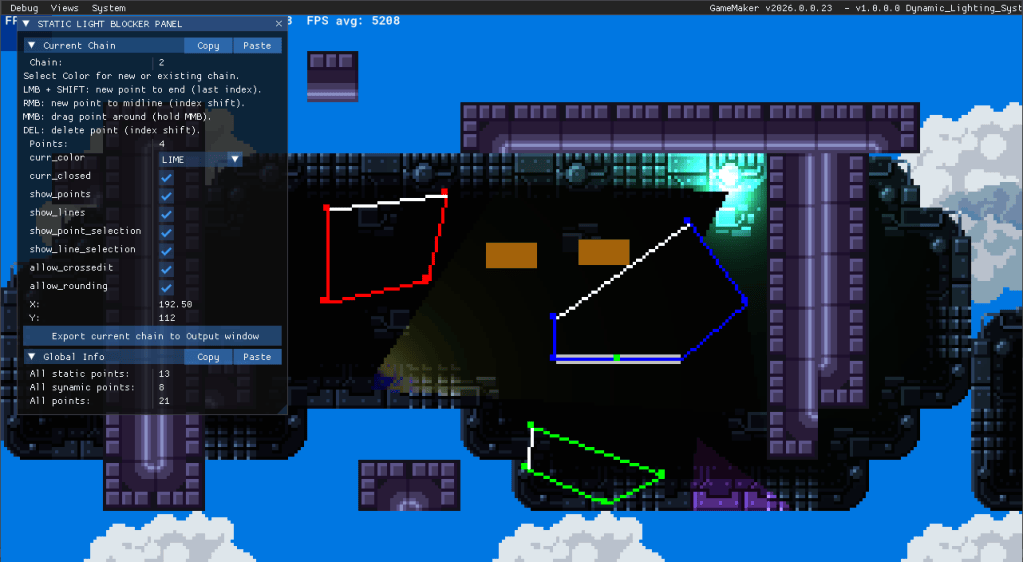
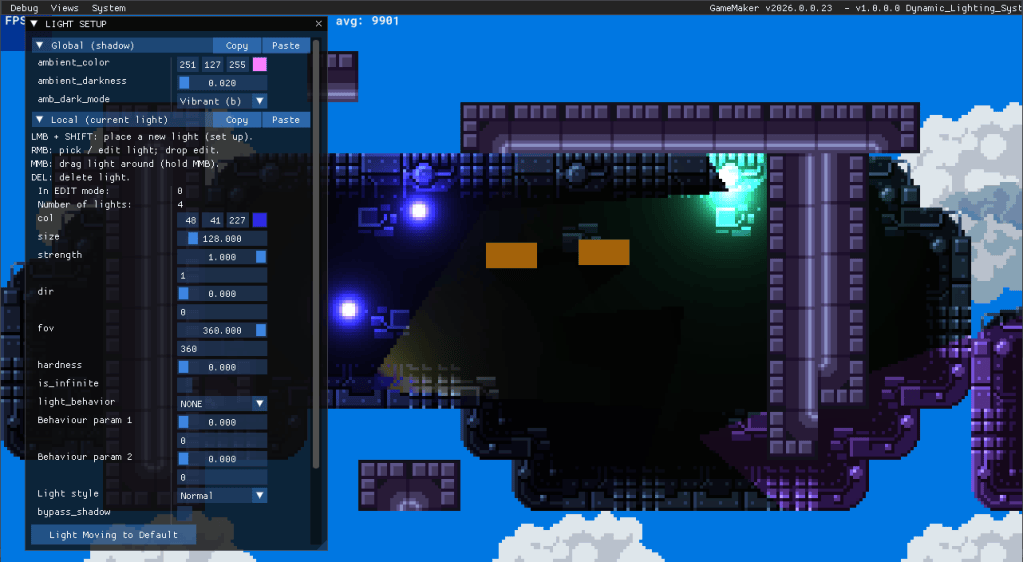
Dynamic Lights: this is the one I had under the magnifier glass in the last week or so. I checked again a 5 part project, made after a tutorial by GrizzliusMaximus. I followed the tutorial, then realized I probably won’t need the same functionality and already changed some aspects of it, but it is a good base. I already changed the object based blockers to a coordinate based one. This means, I don’t have to put down dozens of objects, confined as rectangles or triangles. I have to put down points, with increasing index numbers. They are connected together, and this shape will be the light blocker. I realized that I probably will be better off if I make a simple editor, where I can make the shapes easier (the game will have many organic tilesets), and I am able to add, remove, move around points, without having me to manually set every points’ index. So I did just that, using the debug panel. I can set up some things (open or close ended chains / shapes, select the edited chain by color, etc), add, or insert new ones on midpoints, delete or move points. I also made the same editor for lights. I set up a panel and how the lights can be edited (with a floating / moving light: color, strength, fov, etc), it can be placed, and then edited: delete, re-set, moved around. Both panel has a button on them, which then prints an array of structs, which can be copied and used as raw data. I decided to not use outside files as they can be corrupted if accidentally edited, then the game could crash, or at least give back some crazy values that could ruin a room.