


Download Droid Hunter X from itch.io
I am between jobs right now – or just straight out of job, depending on if an idea goes through. Namely making a retro style game, directly for retro consoles first. I came up with an idea for an action platformer, taking place in ancient Roman times. Drew some backgrounds, characters and a chicken, I built a first level and sent it to the coder. I am waiting for some progress in this matter, so in the meantime I decided to make a game for HEJ’s May game jam, for the chosen themes of GET OUT! and These aren’t the droids you’re looking for (yes, May the 4th be with you).
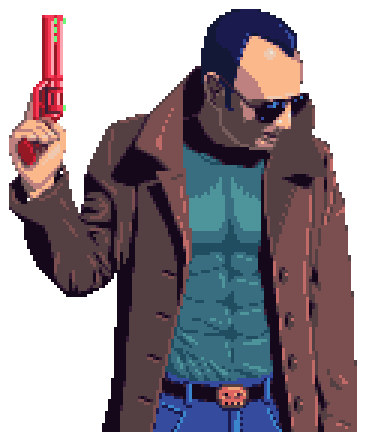
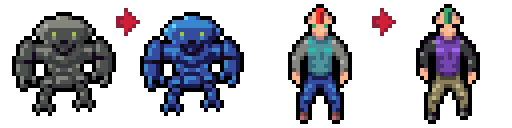
In my mind I imagined a city, a droid hunter, human and droid citizens, similar to the Blade Runner movie. So I went for that aesthetic, and before me and my girlfriend went for a week long holiday even took some photos of me in a long coat and a toy gun, so I could use that as reference for the Scrapper character. The abs should be armor padding, and believe me, no real abs were hurt in the taking of the photo. 😀 I draw 8 robot heads, arms, bodies and legs and when the game starts, droid citizens are randomly assigned these parts along with a random color (or if you choose on the main screen, up to 4 colors), using a palette swap shader. I wanted to make the humans similarly, creating 8 human characters, 4 male, 4 female, making palettes for color variations. But it turned out, the shader I managed to bring to life, after a tutorial (which I couldn’t find afterwards) is unprecise, working just fine for the droids, but messing up colors for the humans. At the time I couldn’t figure out why, left it as it is as I had a couple of days to finish. In the end I manually recolored the humans, so the same ones seem to pop up everywhere. (At the end of this page I will get back to this, I promise.)
In this world droids become the part of human society. Most of the work (like heavy labor) are done by them, while humans are doing the rest (like office work). Though crime was on an all time low, after a while droids become unstable. No money to replace all of their circuits and no ways to predict when this could tip one over, it become a real danger that some of them will go rogue and hurt other droids – or even humans. So, a task force was established, where agents are authorized to investigate, hunt down and execute any rogue droids. Armored up, using a high power handgun, Scrappers roam the streets to get the killer droids as efficiently as possible.
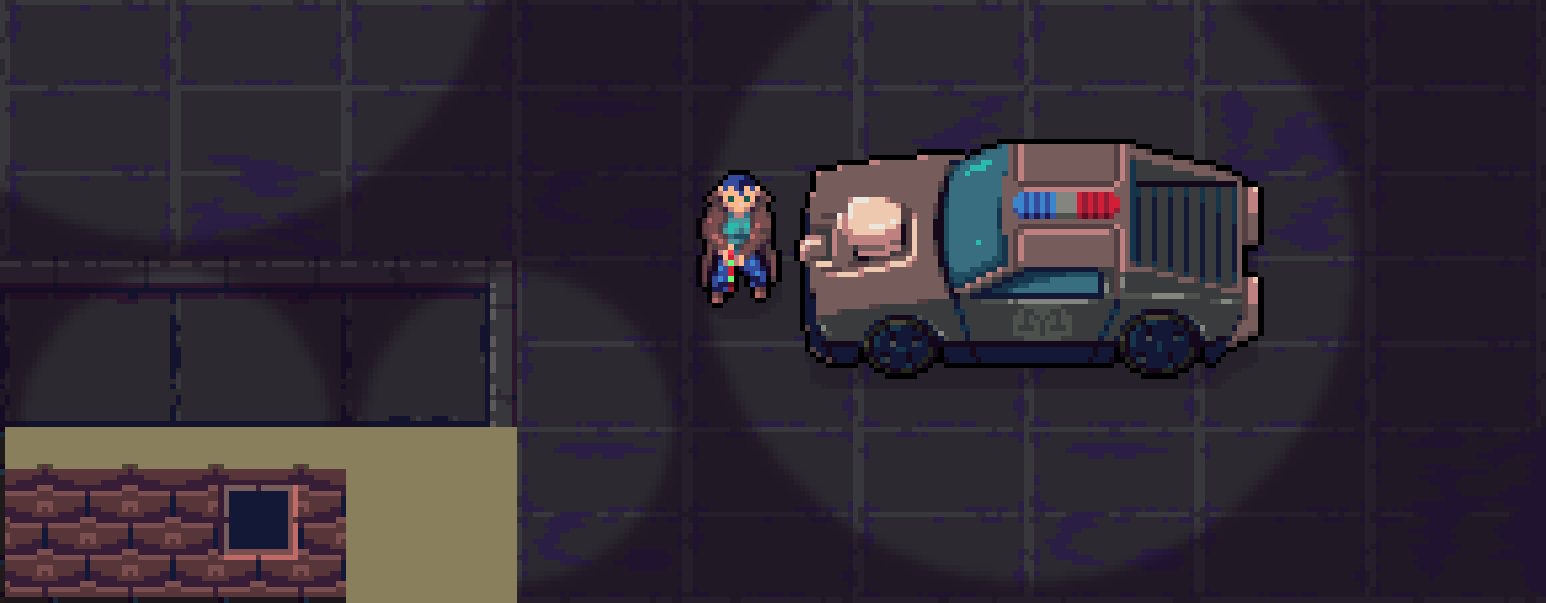
The game’s inner mechanics are consists the player managing health, ammo, and possible penalties, while finding the crime scenes using the minimap and the flashing indicators at the edge of the screen. An investigation starts with finding the body and evidences lying around, these give more and more information about the perpetrator: how the body parts look like and what color it is. When all in place, surveillance systems pinpoint the droid, and on the minimap the player is able to track and hunt down the killer droid, getting some bounty / credits for it. Health and ammo are pretty straight forward: as killer droids fight back, the character can get hurt and even die (game over 1). Ammo is reloading to the cylinder after its emptied, or Reload is pressed. This also takes into consideration, that you have to have the gun in hand, to reload, and cannot holster it while reloading. Health and ammo cartridges can be replenished at the patrol car, where the game starts. The penalty system consist two types. Temporary (orange) penalty accumulates as the player runs around NPCs, especially with gun in hand. This slowly subsides, if the player toggles walk and holster the gun, (or when no NPCs are in a certain radius). Should a shooting occurs, killer droids are able to hurt and kill other NPCs, that will give a serious (red) penalty and should the player hurt or kill an innocent NPC, even more so. This penalty will not reset, and if the combination of two reaches the maximum, the police chief will terminate the contract of the main character (game over 2). Good news though, if a shooting ends with a killer droid destroyed, the temporary penalties are set to 0.
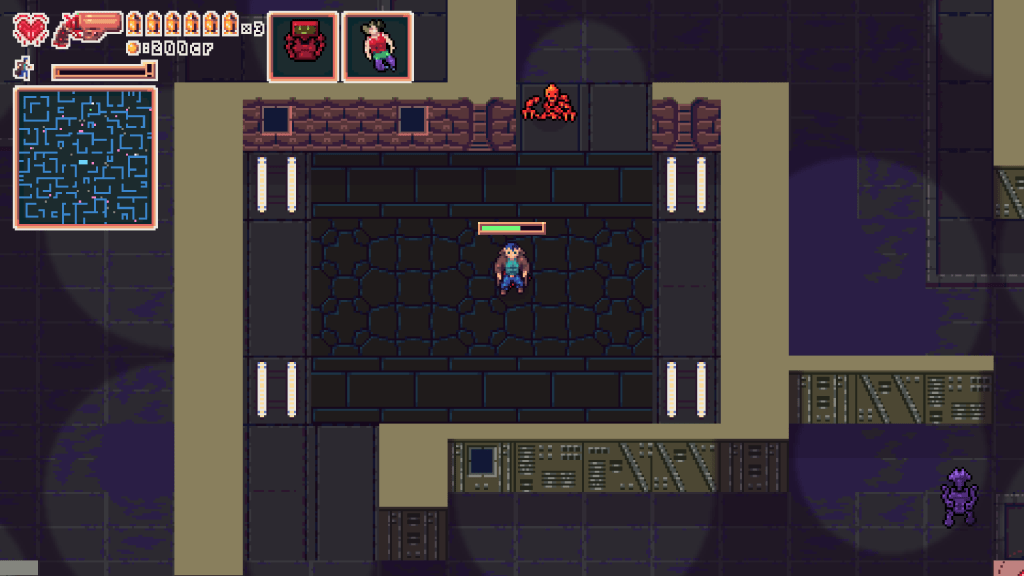
I don’t know why I love jam packed GUIs. Maybe because I like to inform the players what’s what, so besides the basics, I show the gun’s holstered / un-holstered status, as well as the walk / run status. The crimes appear one by one after a certain time passes, showing the victim. This will change to the perpetrator’s image only if the body itself was investigated. The minimap helps the player (green) to navigate the city, shows NPCs (pink for human, gray for droids), the patrol car (light blue), victims (white) and when a killer droid was identified, red flashing rectangle.
I used my voice for the Scrapper character in the main menu’s “intro”. The dispatcher’s voice is my beloved Allegra (who, being an introvert even more so than I am) does not like to hear her own voice. I used Audacity to change our voice lines to get a more “radio” like effect. The end of the dispatcher lines blends perfectly with GravitySound’s music which was a nice coincidence. I also added the level music by Scythuz, and most of the sound effects from Gamemaster Audio and GameBurp. I also recorded some sounds, but 2-3 tops only.
Technically the palette swap shader was supposed to be the big new thing for me, but that failed at that time. The thing was, as I loaded up the test project, that one of the two test sprites were added in 4 times, in different sizes (scaled up), and for some reason that worked perfectly. The other only once, in one size, and I didn’t realize that one of the darker colors was not changed at all. So the shader had some problem, and I got back to it a couple of days after the event’s end. The math wasn’t perfect, I visualized for myself with my usual terrible sketches, what should happen. The shader uses a series of palettes, in GameMaker this appears as animation frames. The first frame consist the original, exact colors of a sprite, the rest of the frames are the replacement colors. The trick is that the colors have to be exact, so when the shader gets the original colors, it can identify what color to change, and then you can add in the palette type (image index basically), using that as replacement colors. If a color is not the same, it won’t change. This palette has to be on a separate texture page, as if it was mingled in with the others, it would be hard to pinpoint its location on that texture page, and much easier to just know, that your first color always at 0, 0. So this is, why I can define the x and y position for the palette, and how many colors the given sprite has. This way, I can make a let’s say 128×128 palette texture with multiple sprite palettes, or even with all the colors that the game uses (making it possible to palette swap the whole application surface – which could be a good tool to make palette versions for color blind people). I only have to be precise with x, y and color numbers. In the end I corrected the math (with a lot of trial and error), managing to get a version that mostly was precise, but still messing up some colors… and even colors that was not that close to each other. I talked with a coder friend of mine. Burwor makes small games too in his free time, in fact, we made two or three jam games too in the past (the X-mas Special, a jam game where we made a computerized version of Drakon the boardgame, and I think he coded 3D Cube Hunter… well all this happened in around 2005-2006?) looked at the shader code. At that time, with my corrected math that should have worked already, as he said. Only thing he suggested is to put a break point in, when a color was found, so the shader is a bit faster. Good idea, I added it. And lo and behold, that actually fixed the problem too: as finding the color one time satisfied the if statement, the shader exited from that run and didn’t messed up the already found colors. Upon further testing it was able to make a difference between 255, 255, 255 and 254, 255, 255 white color too, concluding the shader, and finally me being happy with a finished shader (there are some that just I couldn’t make to work). On the picture below, there are the sprites with original colors, then with a colored version, and finally palette swapped to C64 colors. On the right there are the palettes: top is the original colors (top left for the knight, middle left for the moon, middle right for the droid, and bottom line for the human) and the rest are the colors to swap to. There are limitations though for this shader, so I may try to add mor functionality to it. So, first of all, this is for pixel art games, with limited palettes. Second, transparency is not handled (no alpha, though it may just work, as the colors should be accessible still), especially with application surface, if transparent pixels are found on top of another that will blend a new color, that is possibly not on the palette. And also: effected sprites (with bm_add for example), or shadow-light surfaces not handled for the same reason (though, it may be possible to color before these effects are added). When I get to a point with a project, that requires further experiments, I will return to it.
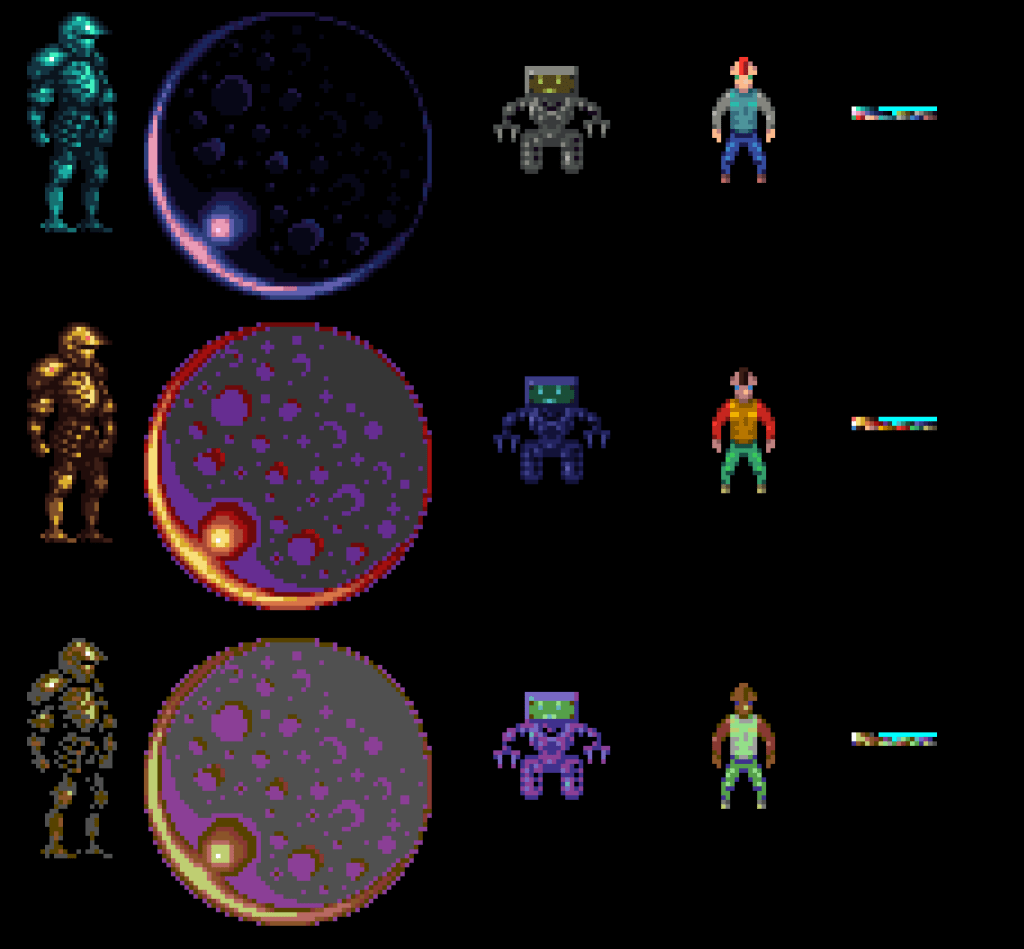
Besides that I also made a monochromatic shader (not used in this project), that’s able to color sprites or the application surface to a certain color palette. This samples the brightness of the pixels and decides on that what color should be assigned to what. This is good to get like a gameboy color palette, or a monochromatic palette, or even a hue shifted one. A copy of the shader has to be set up with color codes and as many, as many colors you want to have. What I think of, how to use it, is to drop shadowy colors over sprites, or add bright colors for a desert environment, or as a saturated layer to imitate a stormy weather. It’s just a simple shader, but probably will be handy. 🙂
Oh, I also repaired a minimap for this, similar to Zero-G’s, but that was abysmally slow, so I pre-printed the minimap whenever a change happened on the map. It turned out, I run the for loops over the width and height of the room in pixels and not grid size. So this time, the minimap can be dynamic, at least if I would change the walls, that would not require me to update the minimap separately, it reads up them at the start of the game. All in all, I had some two actual weeks to work on it, it turned out to be OK, you can actually finish the game (15-20 mins), getting the good ending: the police chief is satisfied with your work for now… and hey, you’re also not dead.